What this pattern really means
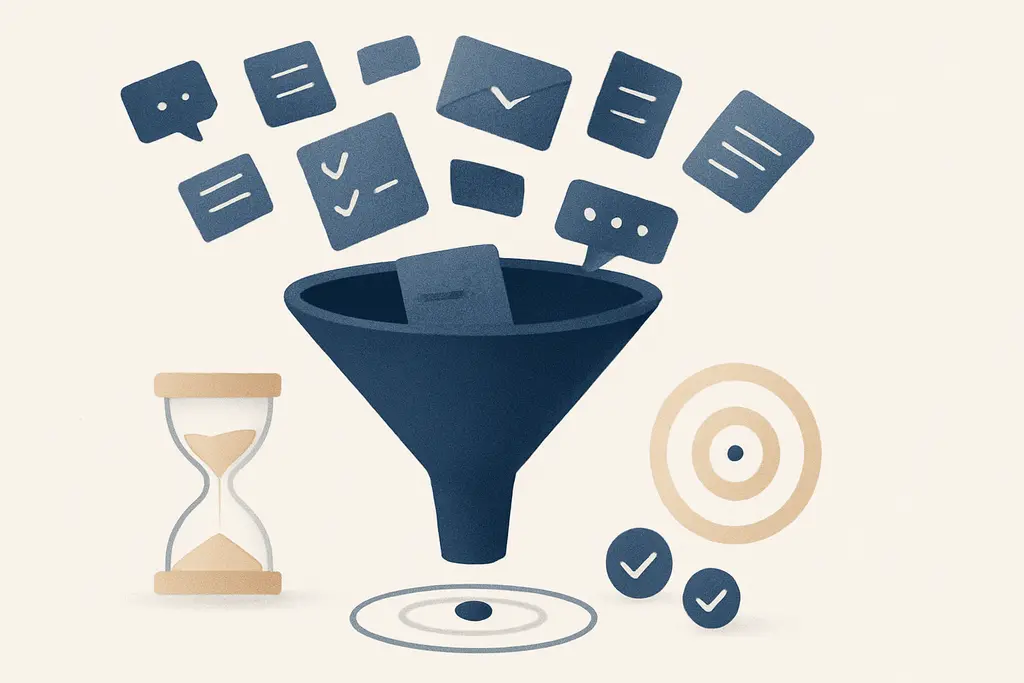
Digital clutter refers to excess digital items — messages, open tabs, duplicate files, unmanaged inboxes and overlapping tools — that create background noise. Cognitive overload happens when a person’s working memory and attention are taxed by too many inputs or simultaneous tasks, so they can't reliably hold or manipulate information needed for a job.
Key characteristics include:
These characteristics interact: clutter increases context switching, which consumes attention and reduces the mental resources available for reasoning. The result is slower team throughput and more frequent clarifications or rework.
Why it tends to develop
**Information density:** organizations generate more data than individuals can review; more data feels essential even when much is low value.
**Tool proliferation:** multiple overlapping apps (chat, email, project boards, docs) multiply entry points for work.
**Notification design:** tools reward immediacy and intermittent attention with badges and pings.
**Social signaling:** people copy or CC broad groups “to keep others informed,” increasing recipient load.
**Unclear process:** absence of agreed norms for where decisions live or how to escalate creates duplicated threads.
**Performance pressure:** time pressure and high workloads push people to multitask rather than focus.
**Environmental noise:** remote work, flexible hours, and global teams extend the window when interruptions occur.
What it looks like in everyday work
Team members repeatedly ask for the same information that was already shared
Meeting agendas are long and unfocused because items were pushed to chat instead of scheduled
Project folders contain many near-duplicate files with unclear version control
People keep dozens of browser tabs and flagged emails “for later” that rarely get closed
Decisions are delayed while stakeholders hunt through threads or files to find the latest update
Sprint boards or task lists accumulate stale tickets with no clear owner
Workdays fragment into short bursts between notifications rather than sustained focus blocks
Higher volume of quick clarifying messages (e.g., “Did you get my last note?”) during delivery phases
Onboarding new people requires extra time to map where the real information lives
Frequent misrouting of requests because teams use multiple overlapping channels
A quick workplace scenario (4–6 lines, concrete situation)
A product team receives feature requests via email, chat, and a ticketing system. Developers open many tabs to match requirements, then miss a critical spec buried in a long chat thread. The release is delayed while the team consolidates files and re-communicates decisions.
What usually makes it worse
Launching a new tool without retiring old ones
Rapid growth or reorganization that outpaces information architecture
Meetings used as catch-alls for updates instead of structured handoffs
Broad CC/email habits that include nonessential stakeholders
Lack of naming conventions or shared folder structure
Tight deadlines that encourage rapid message/forwarding behavior
Multiple overlapping approval processes
Distributed teams across time zones pushing more asynchronous messages
Frequent all-hands or broadcast messages that drown operational updates
What helps in practice
These steps focus on changing shared practices and the information environment so people spend attention on priority work rather than searching for it. Small rule changes and upkeep routines compound quickly across teams.
Agree on a single source of truth per workflow (e.g., a task board for assignments) and make others read-only
Set clear channel rules: what goes to email, chat, ticketing, and where decisions are recorded
Introduce notification hygiene: encourage calendar blocks for focus time and limit non-urgent pings
Adopt simple naming and versioning rules for shared files and enforce them with templates
Schedule regular cleanup: 15-minute weekly sessions to archive or delete outdated files and stale tasks
Use short, structured updates (status, blocker, next step) to reduce long threads
Assign clear owners and deadlines for inboxes, folders, and projects to prevent duplication
Limit meeting length and share concise pre-read materials that point to the authoritative document
Train teams on quick triage: how to prioritize messages and decide what requires immediate action
Pilot one tool consolidation at a time and measure the drop in cross-posting and duplicates
Create onboarding docs that map where information lives and who maintains it
Nearby patterns worth separating
Information overload — a broader term for receiving more information than can be processed; digital clutter is a primary source of information overload in modern workplaces.
Attention residue — the lingering mental cost of switching tasks; frequent digital interruptions create higher attention residue and hinder deep work.
Context switching — moving between tasks or tools; digital clutter increases the frequency and cost of switching.
Knowledge management — the practices and systems for organizing information; effective KM reduces digital clutter by creating discoverable sources.
Workflow design — how tasks move between people and tools; poor workflow design creates redundant digital artifacts and contributes to overload.
Notification management — rules and settings for alerts; relates directly because notifications often drive reactive behavior.
Digital minimalism — a philosophy of reducing tools and inputs; connects as an approach to limit clutter rather than accept it.
Shared mental models — team understanding of roles and processes; when absent, teams create redundant messages and duplicated work.
Asynchronous communication norms — agreements about response windows and message formats; these norms help contain the spread of digital noise.
File governance — policies about storage, retention, and ownership; strong governance reduces duplicate files and unclear ownership.
When the situation needs extra support
- If team performance and morale decline significantly despite process changes, consider consulting an organizational development specialist
- When workload and interruptions lead to persistent absenteeism, impaired functioning at work, or high staff turnover, engage HR or workplace wellbeing resources
- If the information architecture needs redesign at scale, a professional knowledge-management consultant or systems analyst can help
Related topics worth exploring
These suggestions are picked from nearby themes and article context, not just a flat alphabetical list.
Micro-decision overload: why small choices derail your day
How dozens of tiny, daily choices sap attention at work—what it looks like, why it builds up, and practical fixes managers and individuals can use to protect focus.
Inbox zero myth
Why aiming for an empty inbox is often symbolic, how it shapes daily work behavior, common confusions, and practical fixes to reduce busywork and distraction.
Notification anxiety
Notification anxiety is the anticipatory stress about pings and messages at work — it fragments focus, shapes habits, and can be reduced by norms, batching, and targeted notification settings.
Deep Work for Managers
How managers create, protect, and scale focused, high-value work time—practical steps, pitfalls, and examples for turning attention into better decisions and fewer interruptions.
Focus residue recovery
How leftover attention from one task slows the next—and practical steps managers and teams can use to clear it, from short buffers to one‑line handoffs.
Decision batching
Decision batching groups similar workplace choices into scheduled sessions; it can boost focus and consistency but also cause delays and bottlenecks if misused.